
Wave: Small Business Software
Wave HQBusiness
3.34.22K Reviews
- Version
- 4.20.0
- Installs
- 500.00K
- Age Rating
- Everyone
Screenshots

Our Review of Wave: Small Business Software
 Analysis by Appyee
I’d consider Wave when a small business needs to get invoices and day-to-day expense records under control without starting with a paid accounting subscription. Its appeal is practical rather than flashy: it brings routine money tasks into one place, and the core offering is free. That makes it worth a look for freelancers and owner-operated businesses, though it is not automatically the right fit for every company. My main advice is to treat it as a straightforward bookkeeping hub, then check that its workflow and paid options suit the way you actually run your business.
Who benefits most from a simple bookkeeping hub
The best match is someone who handles a manageable flow of client work and wants to invoice, record expenses, and review business finances without building a complicated accounting setup. A freelance designer, independent consultant, or small service business could use it to keep billing and receipts from drifting into separate folders and spreadsheets. If you are moving from informal tracking to a more consistent routine, a clear starting point can matter as much as a long list of advanced tools.
Wave is a business app from Wave HQ, and it has been available since October 19, 2016. Its current version is 4.13.0, with support for Android 9 and later. It is free to download, rated for Everyone, and has more than 500,000 installs. The average rating is 3.3 from around 24,000 ratings, alongside about 4,200 written reviews. I’d read that mixed reception as a reason to try the actual workflow before committing business records to it, rather than as a verdict that it will suit everyone equally.
A practical routine for invoices and receipts
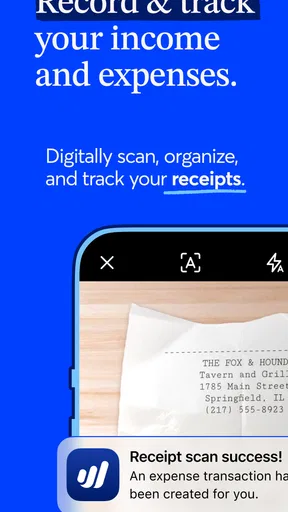
Think of a self-employed cleaner finishing a job between appointments. They can prepare an invoice while the details are fresh, then photograph a supply receipt instead of leaving it crumpled in a bag until tax time. The real benefit is not that a phone magically does the bookkeeping; it is that capturing the information promptly can reduce the small delays that turn into a weekend of sorting. I would still review the saved expense details and keep important source documents organized, rather than assuming every scan has been categorized perfectly.
One useful habit is to make receipt capture part of the purchase routine: take the photo before leaving the shop, then check that the record is legible and belongs to the right business expense. That quick review is a better safeguard than relying on memory weeks later. Similarly, creating an invoice soon after completing work can help keep client billing from becoming an end-of-month scramble. These are modest habits, but they are where a mobile bookkeeping tool can earn its place.
Where it differs from spreadsheets and bigger suites
Compared with a spreadsheet, Wave offers a more purpose-built path for invoices and expense records, so you do not have to design every template and tracking column yourself. A spreadsheet may still be better if you need an unusual custom model, want complete control over how records are arranged, or already have a disciplined system that works. The trade-off is that spreadsheets depend heavily on consistent manual entry and can become harder to maintain as transactions and clients accumulate.
Compared with a larger accounting suite, Wave is appealing when you want a simpler entry point and do not need a broad, highly tailored business-management setup. Bigger platforms may be preferable for businesses with more complex processes, established staff roles, or specialized reporting needs. I would not choose solely on the number of features: a system that feels too elaborate can discourage timely recordkeeping, while a simpler one may eventually feel restrictive as a business grows.
Know what the free starting point does—and doesn’t—mean
The free price is a real advantage for basic bookkeeping, but it should not be read as a promise that every service connected with running a business costs nothing. In-app purchases range from $8 to $190 per item, so I would check the price and terms of any paid option before depending on it. Payroll and payment processing can involve paid add-ons, making the total cost depend on which services you use. If minimizing expenses is the priority, begin with the free tasks you need and evaluate any upgrade against a specific business requirement.
That distinction matters when comparing Wave with a bank’s own tools or a separate invoicing app. A bank dashboard may be enough for someone who only wants to monitor balances, but it generally is not the same thing as a workflow built around client invoices and receipt records. A standalone invoicing tool can suit a freelancer who only bills clients and already tracks expenses elsewhere. Wave makes more sense when keeping those everyday activities together is worth more than having the narrowest possible tool.
Limits worth weighing before you rely on it
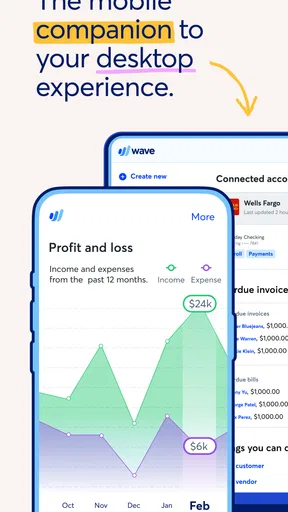
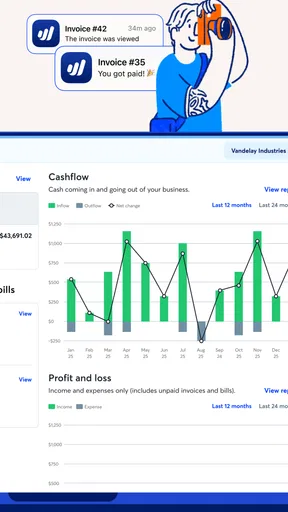
Simple setup and a tidy dashboard are helpful, but they do not remove the need to understand your books. You still need to check that expenses are recorded correctly, invoices reflect the agreed work, and reports make sense in context. A snapshot of cash flow can help you notice a pattern, but it is not a substitute for planning around upcoming bills, taxes, or uneven client payments. If you expect the app to make financial decisions for you, you will be disappointed; its value is in organizing information you can then act on.
I would also be cautious about assuming that every integration will match a business’s exact workflow. Bank syncing and connections with other tools can reduce repetitive entry, but any automated connection deserves occasional review. If a transaction is missing, duplicated, or assigned incorrectly, noticing it early is easier than untangling months of records. For a business where several people need finely controlled access or where reporting must follow specialized rules, it is sensible to compare alternatives before making Wave the central system.
Using Wave in Everyday Business
Hey there! So, let's dive into my experience with this nifty app called Wave: Small Business Software. It's been making waves (pun intended) in the small business scene, and I thought I'd share my take on it. If you're on the lookout for a user-friendly accounting solution, this might just be up your alley.
Getting Started with Wave
First things first, setting up Wave: Small Business Software was a breeze. I was pleasantly surprised by how intuitive the whole process was. You know how some apps make you jump through hoops just to get started? Not this one. It walks you through the setup with a neat little wizard that even my tech-averse aunt could navigate.
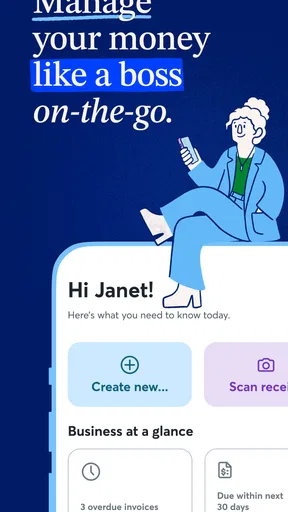
Once you're in, the dashboard greets you with a clean, straightforward design. I loved how everything is right where you need it to be – no clutter, no unnecessary buttons. It’s like the app is saying, "Hey, I've got your back, let's get to work!"
Features You’ll Love
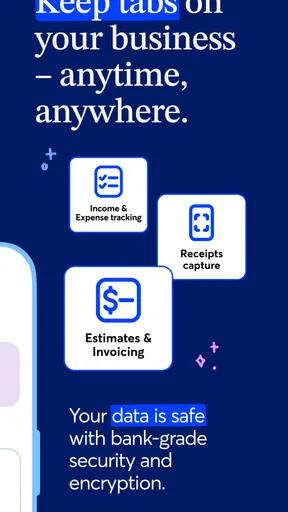
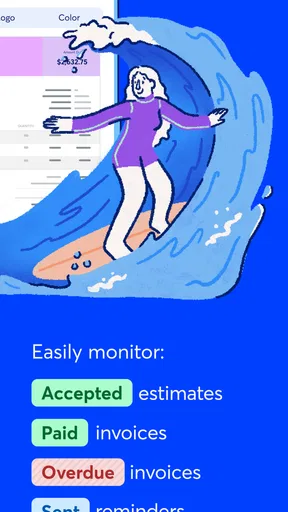
Now, onto the features. What really stands out is how comprehensive it is. You can manage invoices, track expenses, and even handle payroll if you need to. The invoice feature is especially handy. You can create professional-looking invoices in minutes, and sending them off to clients is as easy as pie.
But wait, there's more! The expense tracking is a lifesaver. You can snap a photo of your receipts, and the app takes care of the rest. It’s like having a personal assistant who never complains about overtime. Plus, the reports feature is super helpful for getting a snapshot of your business's financial health. Need to know how your cash flow is doing? Boom, it's right there.
Integrations and Connectivity
Another thing I really appreciate is the integration options. Wave plays nicely with other apps and tools you might be using. It syncs with your bank accounts, which means less manual entry for you. And if you're a fan of payment apps like PayPal, Wave has you covered there too.
For those who are tech-savvy, there's also the option to connect via Zapier for even more automation. It’s all about making your life easier, and Wave seems to get that.
Is It Really Free?
Okay, let's talk cost. The word "free" gets thrown around a lot, but in the case of Wave, it’s legit. You get access to all these features without having to cough up a dime. They do offer paid add-ons, like payroll and payment processing, but for the core accounting features, you’re good to go at no cost. It’s perfect for small businesses or freelancers who need to keep an eye on the budget.
User Experience and Support
In terms of user experience, Wave is a winner. It’s not just about features; it’s about making those features accessible and easy to use. I found the support resources really helpful too. There’s a community forum, and if you prefer a more hands-on approach, their support team is just a click away.
"Wave is like that reliable friend who's always there to help you out without asking for anything in return."
Whether you’re a solopreneur or managing a small team, Wave seems to cater to your needs without overcomplicating things. It’s the kind of app that quietly works in the background, letting you focus on what really matters – growing your business.
Final Thoughts
So, would I recommend Wave: Small Business Software? Absolutely. It's a solid choice for anyone looking to streamline their accounting processes without breaking the bank. It’s flexible, it’s powerful, and most importantly, it’s user-friendly. Give it a whirl and see how it fits into your business routine.
And there you have it! My two cents on Wave. Have you tried it yet? I’d love to hear your thoughts!
Choosing it as your business grows
My enthusiasm comes with a boundary: I would recommend Wave most readily when the owner is close to the everyday transactions and can keep an eye on them. If the business has complicated approvals, unusual billing arrangements, or needs a specialized accounting process, the convenience of an approachable app may not outweigh the value of a more configurable system. It can still be useful to explore, but I would test a representative month of work before moving all records into a new routine.
A good trial is to follow one real invoice from creation through payment tracking, then enter a few ordinary expenses and compare the resulting picture with your existing records. That shows whether the steps make sense for your clients and whether you are comfortable reviewing the records. It also helps answer the practical question of whether Wave can replace a spreadsheet, or whether you would end up maintaining both and duplicating effort.
My recommendation
For a freelancer or a very small business that wants invoices, receipt capture, and basic financial visibility in one approachable place, I think Wave is a sensible starting point. Its free core makes experimentation easier, and the mobile focus can encourage better habits when work happens away from a desk. I would keep a deliberate eye on transaction accuracy, and I would price any paid service before building it into the business budget.
If you need deep customization, elaborate team processes, or a specialist tool for just one task, another option may fit better. But if your current system is a scattered mix of paper receipts, delayed invoices, and manual notes, Wave offers a practical way to bring those routines together. I’d try it with a small slice of real work first; if it keeps your records current without adding friction, it has earned a place in your business day.
Verdict
Strengths of Wave: Small Business Software
- User-friendly interface for easy navigation.
- Comprehensive invoicing features included.
- Seamless integration with other platforms.
- Affordable pricing for small businesses.
- Excellent customer support available.
Limitations of Wave: Small Business Software
- Limited advanced accounting features.
- Mobile app lacks some desktop functions.
- Occasional syncing issues reported.
- Customization options could be improved.
- No phone support, only email and chat.
Similar Picks in This Category
View All
LinkedIn: Community & Network
LinkedIn3.8

Zoom Workplace
zoom.com4.1

Microsoft Teams
Microsoft Corporation4.6

Meta Business Suite
Meta Platforms, Inc.4.6

Webex Meetings
Cisco Systems, Inc.4.5

TeamViewer Remote Control
TeamViewer4.4
Frequently Asked Questions
What features does Wave: Small Business Software offer?
Wave provides a comprehensive suite of tools for small business owners, including invoicing, accounting, and receipt scanning. It also offers payroll services and financial reporting, helping users manage their finances efficiently. The app integrates with various platforms, ensuring seamless operation and real-time data updates.
Is Wave: Small Business Software free to use?
Wave offers most of its core features for free, including accounting, invoicing, and receipt scanning. However, some services, such as payroll and credit card processing, come with additional fees. This pricing model allows users to access essential tools without upfront costs while only paying for premium features.
How secure is Wave: Small Business Software?
Wave prioritizes the security of its users by employing advanced encryption and security protocols. The software regularly undergoes security audits to ensure data protection. Users can rest assured that their financial information is kept safe from unauthorized access, making it a reliable choice for small businesses.
Can Wave: Small Business Software integrate with other tools?
Yes, Wave can integrate with a variety of other business tools and platforms. It offers seamless connections with banking institutions, payment processors, and other software like Zapier. This integration capability helps streamline business operations by automating data transfer and reducing manual entry.
Who is Wave: Small Business Software best suited for?
Wave is designed for small business owners, freelancers, and entrepreneurs looking for an easy-to-use financial management tool. Its user-friendly interface and comprehensive features make it ideal for those who need to efficiently manage their finances without the complexity or cost of larger enterprise solutions.
